Every line free · no sign-up
Free astrocartography chart and map
A free astrocartography chart and calculator: enter your birth details and see where every planet's lines run, on a 3D globe or a flat map. No sign-up.
New: map wallpapers in your Personal Atlas
Keep your map: free report or Personal Atlas
Free report free
- Your 40 lines on the world map
- Your top city for love, career, home and travel
- Your next 12 months
- A preview of your 20 best places in the world
Personal Atlas the full report · USD 19
- Your 20 best places in the world, ranked
- Your 5 best cities each for love, career, home and travel
- Up to 5 cities you choose: which one to pick, and the best dates to go
- Your map wallpapers for your phone and computer
New · USD 12Your Birthday Atlas Your next birthday and your 12 months, place by place.
- Your 10 best cities for your next birthday, ranked
- Your year's chart, explained
- Month by month: where your map lights up
- Best dates this year for your cities
"I love this app. I have more insight on where to move next!"
"Amazing, thank you for providing this service"
How it works
What is an astrocartography chart?
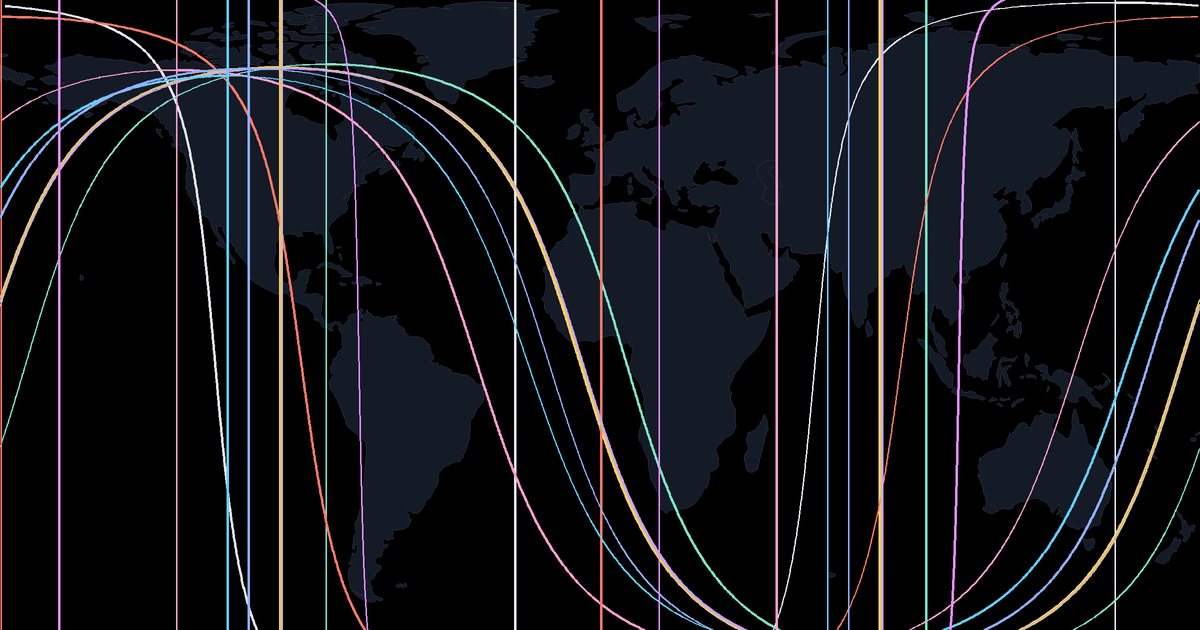
An astrocartography chart is your birth chart drawn on a world map. It shows where each planet was rising, setting, overhead or underfoot at the moment you were born, as four lines per planet. Astrologers read places near a line as places where that planet's themes stand out.
Astrologers often call them simply astrology lines or planet lines: 48 of them for 12 bodies, each with its own meaning, and that is where this site's name comes from.
The word is short for astrological cartography: astrology turned into map making. Each line belongs to one planet and one of the four angles of a chart, and each angle points to a different part of life.
- MC line (solid, straight): where the planet stood at the top of the sky. Read as career, reputation and public direction.
- IC line (dashed, straight): where it lay directly underfoot. Read as home, family and roots.
- AC line (solid, curved): where it was rising on the eastern horizon. Read as you: your manner, energy and first impressions.
- DC line (dashed, curved): where it was setting in the west. Read as partners, close bonds and the people you meet.
The planet adds the flavor: Venus for warmth and connection, Jupiter for opportunity, Saturn for structure and effort. The technique was popularized from the late 1970s by the American astrologer Jim Lewis. It is a symbolic tradition, not a scientific forecast, and no line decides what happens to you.
All 48 lines and their meaning · How to read your chart, step by step
How to use this free astrocartography calculator
- Enter your birth details. Type your date, time and place of birth in the Birth tab. The time zone, with daylight saving and older rules, is found for you. If you are unsure of the time, choose how sure you are.
- Draw your lines. Press "Draw my lines" and the map generator plots every line for all 12 bodies on the globe in a moment. Switch planets and line types on or off in the Lines tab to keep the astro map readable.
- Read the places that matter. Click any point or search a city. A panel lists the five nearest lines with their distance and direction, any parans at that latitude, and the relocated chart for that place.
Everything is calculated in your browser, so your birth details are never sent to a server. To return later, copy the link: it keeps your map ready to open again.
A worked example
Press "See an example" above to load a sample chart: a birth on 14 July 1990 at 08:30 in Paris. The map draws its lines at once, so you can try every feature before entering your own details.
Start with the globe. It is lit the way the Sun lit the Earth at that moment, so Paris sits in morning light. The edge between day and night is the Sun's own rising and setting lines. Because the Sun had already risen in Paris that morning, its rising line lies west of the city, where dawn was only just arriving, and its MC line runs far to the east, through the places where it stood at its midday high point.
Next, click Paris. The panel lists the lines that run nearest to the birth place, how far away each one is, and the rising sign and Midheaven of the birth chart. Then open Best places and pick Love: the list fills with the large cities nearest this chart's love lines. Reading the example this way, one place at a time, is the same method you will use on your own map.
Astrocartography chart vs birth chart vs relocation chart
All three start from the same birth moment. What changes is the place they look from and the question they answer.
| Chart | What it shows | Place used | Good for |
|---|---|---|---|
| Birth chart | The sky at your birth as a wheel: signs, houses, angles and aspects | Your birth place | Your chart as you were born with it |
| Astrocartography chart | Every planet's rising, setting, overhead and underfoot line on a world map | The whole world at once | Seeing which places put which planet on an angle |
| Relocation chart | Your birth chart recast for one new place: new Ascendant, Midheaven and houses, the same planets | One place you choose | Reading one city in full detail |
The map and the relocation chart are two views of the same geometry. Stand on your Venus MC line and Venus sits at the top of your relocated chart. That is why the panel for every place shows both.
How close to a line counts
There is no agreed distance. Many astrologers give the most weight to places within a few hundred kilometers of a line and read its effect as fading farther out; some still count a line at 700 km or more. Rather than pick one rule for you, the map shows the numbers.
- Click any place and each nearby line comes with its exact distance in kilometers and miles, labeled very close (under 150 km), close (under 500 km) or in the wider area (under 1,000 km).
- In Best places you choose how far a city may be from a line: 200 km (125 mi), 400 km (250 mi) or 700 km (435 mi).
Your birth time matters more than any of these settings. The Earth turns 1 degree every 4 minutes, so a time that is 4 minutes off moves every line by about 111 km (69 miles) at the equator. Choose how sure you are of the time and the map shades the zone where each line could fall.
Three views of the same moment
Globe. Your lines on a 3D Earth you can turn and zoom. It shows distances and shapes as they really are, which matters far north and south.
Universe. Zoom out and the Sun, Moon and planets appear in space in the directions they really stood at your birth, along the band of the zodiac. A thin beam runs from each planet to the spot on Earth where it stood overhead, which is where its MC line runs. Directions are exact; distances are not to scale.
Flat map. The classic astrocartography chart. It is the easiest view for reading longitudes and for saving as an image, but it stretches the far north and south, so read distances from the panel rather than by eye.
Everything is free
- All 12 bodies: Sun, Moon, Mercury, Venus, Mars, Jupiter, Saturn, Uranus, Neptune, Pluto, the North Node and Chiron, with all four lines each.
- Click any place, or search a city, to read the lines near it with the distance in kilometers and miles.
- A relocation chart for any place you click, with the chart wheel. On the relocation chart page, a "Relocate to" field opens one city's relocated chart as soon as your lines are drawn.
- Line crossings: dots where two of your lines cross, ranked by the nearest large city in Best places.
- Best places by theme: love, career, home, a fresh start, luck and travel, and the lines to approach with care.
- Compare up to three cities side by side.
- Parans (latitudes where two planets were on angles at the same moment) and local space lines.
- A second person's lines on the same map, with the places you share.
- Your birth chart, a solar return chart with a birthday map (where each planet sits on an angle of your year), and a transit chart with every transit's exact dates and your transit lines on the map.
- Planet lines today: the live sky, your line of the day and your next 12 months, for any date from 1900 to 2100.
- Birth time not certain? Choose how sure you are and the map shades the zone where each line could fall. No time at all? The map shows your paran latitudes instead.
- A link to share, and an image to download. No account, no email, no trial.
Why astrocartography maps differ between sites
If two sites draw your lines in slightly different places, one of these is usually the reason:
- Birth time. The Earth turns one degree every four minutes, so a birth time off by four minutes moves every line by about 111 km at the equator. The time matters more than anything else.
- Line method. Lines can be drawn from a planet's true position in the sky (with its small distance north or south of the zodiac, called in mundo) or from its zodiac degree only. For Pluto the difference can reach several degrees of longitude. This map uses the true position by default and lets you switch; your relocated chart uses zodiac degrees, which is why a planet can sit a little off the relocated Ascendant even on its AC line.
- Time zone history. Daylight saving and old time zone rules change the true moment of birth. We use the full IANA time zone database, with historical corrections for births before 1970.
- The calculation itself. We publish ours: planet positions checked against NASA JPL Horizons to within a few thousandths of a degree, and every line point tested. See method and accuracy.
Sun lines
Visibility, confidence and purpose. Often read as a place where you are seen, for better or worse.
☽︎Moon lines
Home, feelings and belonging. Comforting for some, emotionally intense for others.
☿︎Mercury lines
Words, study and contacts. A busy mind, and sometimes a scattered one.
♀︎Venus lines
Love, beauty and ease. Pleasant and social, not always productive.
♂︎Mars lines
Drive, courage and friction. Energy to start things, and less patience.
♃︎Jupiter lines
Opportunity, growth and generosity. Tradition adds a warning about excess.
♄︎Saturn lines
Structure, effort and commitment. Demanding, and often where lasting work gets built.
♅︎Uranus lines
Change, freedom and surprise. Exciting on a trip, unsettling for some as a home.
♆︎Neptune lines
Imagination, ideals and haze. Inspiring, though things can be hard to see clearly.
♇︎Pluto lines
Intensity, depth and power. Read as deep change rather than as danger.
☊︎North Node lines
Direction and meaningful meetings. Read as a pull toward where your life is heading.
⚷︎Chiron lines
Sensitivity, healing and mentoring. Old hurts may surface, and so can the wish to help.
Is this astrocartography map really free?
Yes, completely. Every line, the parans, local space lines, best places, city comparisons, the couples overlay and the relocated chart are free, with no sign-up, no email and no trial. There is nothing to unlock and no paid version of the map. You can share a link to your map or download it as an image at no cost.
Do I need my exact birth time?
As exact as you can get it. Lines move about 111 km at the equator for every four minutes of birth time, so a birth certificate or hospital record beats a remembered time. If you only know it roughly, enter your best guess and choose how sure you are: the map then shades the zone where each line could be.
What if I do not know my birth time?
Choose "I don't know my birth time". Planet lines need the time, so the map draws none. It shows your paran latitudes for noon of your birth day instead, leaving out the Moon, which moves about 13 degrees a day. For the other bodies, paran latitudes barely change with the time of day, so they stay usable. More on parans.
How close to a line do I need to be?
Astrologers do not agree on one distance. Most give the most weight to places within a few hundred kilometers of a line, and some still count a line at 700 km or more. The map shows the exact distance to every nearby line, and Best places lets you choose 200, 400 or 700 km, so you can judge for yourself.
Which lines are good and which are bad?
No line is simply good or bad. Tradition calls Venus and Jupiter lines the easy ones and Saturn, Mars and Pluto lines the demanding ones, but a Saturn line is often read as a place to build something solid, and a Venus line as pleasant but not always productive. Read each line for what you want from a place.
Is an astro map the same as an astrocartography chart?
Yes. Astro map, astrocartography map and astrocartography chart all mean the same thing: your birth moment drawn on a world map as planet lines. Some people also use astro map for a birth chart wheel, which is a different picture of the same moment. On this site, the map is the world view and the relocation chart is the wheel.
Is there an astrocartography app?
This map works as one. It runs in the browser on any phone, tablet or computer, with nothing to install, and on most phones you can add it to your home screen from the browser menu so it opens like an app. Your birth details stay on your device, and a copied link reopens your map.
Do I need astrocartography software?
Not to start. Desktop astrology programs exist for professional work, but a beginner can see every line, parans, local space lines and a relocated chart here for free in the browser. The calculation is published and tested against NASA data on the method page, so you can check how it compares before deciding whether you need more.
Does it work for Vedic (sidereal) astrology?
Yes, the lines are the same. A line depends on where a planet really was in the sky, relative to each place on Earth, not on which zodiac you use to name that position. Tropical and sidereal zodiacs label the same point with different signs, so the lines fall in exactly the same places. Only sign names in the relocated chart differ.
Why is a planet not exactly on my relocated Ascendant when I stand on its AC line?
The map draws lines from each planet's true position in the sky, including its small distance north or south of the zodiac. The relocated chart, like every chart wheel, uses zodiac degrees only. For most planets the gap is small; for Pluto it can be several degrees. Switch the line method to "On the ecliptic" and the two agree exactly.
Is my birth data stored?
No. The map is calculated in your browser and your birth details are not sent to a server. A copied link holds your birth details after the # sign, which browsers never send to a website, so the link works without storing anything. Because the details are in the link, share it only with people you trust.
What is a paran?
A paran is a latitude where two planets were on angles at the same moment of your birth, for example Venus rising while Jupiter was overhead. Astrologers who use parans read the whole band of latitude, all around the world, not just the spot where two lines cross. Turn on Parans in the Lines tab and choose a planet.